
Introduction
Microsoft Copilot is now the company’s go-to AI tool for everything from daily research and writing to general productivity. In this Microsoft Copilot review, we’re going to dive into the features, pricing, pros, and cons to figure out if it actually makes sense for your setup.
Let’s be honest—AI tools are incredibly useful for handling basic questions, summarizing messy info, or generating text and images. But how much you actually enjoy using one usually comes down to how well it blends into the software you already open every single day.
Microsoft takes a pretty wide approach here. You can jump onto the free version through their website to handle basic questions, draft some text, or create quick images. But things get a lot more interesting when you pair it with Microsoft 365. That’s when Copilot moves right into apps like Word, Excel, PowerPoint, Outlook, and Teams—using your actual work context to help out.
In this breakdown, we’ll look at what Copilot brings to the table, where it hits the mark, where it totally misses, and whether it’s worth weaving into your daily routine.
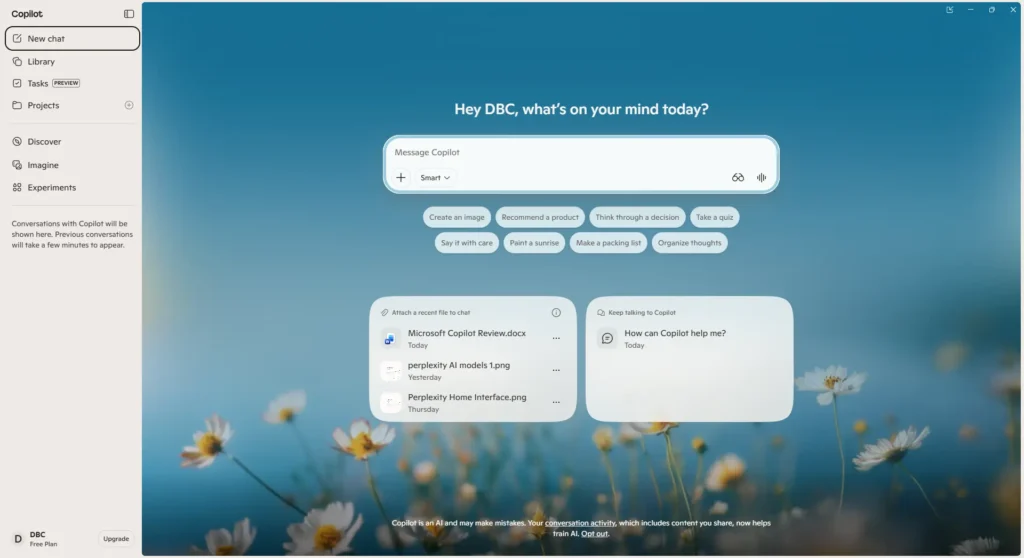
Table of Contents
Quick Verdict
Microsoft Copilot is a practical choice for users who already work heavily within the Microsoft ecosystem, like Word, Excel, PowerPoint, etc. Its free version handles everyday AI tasks well, while Microsoft 365 integration makes Copilot more useful for users who want AI assistance directly inside apps such as Word, Excel, PowerPoint, Outlook, and Teams. However, the value of the paid experience depends heavily on how often you use these Microsoft tools.
In our testing, the biggest appeal of Copilot is not simply its chatbot experience, but how naturally it fits into Microsoft’s existing productivity ecosystem.
Pros & Cons
Pros
- Strong Microsoft 365 integration — Copilot can work directly within apps such as Word, Excel, PowerPoint, Outlook, and OneNote.
- Free version available — You can use Microsoft Copilot at no cost for general questions, writing, web-based tasks, and image creation.
- Useful for everyday productivity — It can help with writing, brainstorming, summarizing, and web-based questions.
- Works across Microsoft devices and services — Copilot is available on the web, Windows, mobile, and Microsoft Edge.
Cons
- Best value depends on your Microsoft ecosystem usage — Its deeper productivity benefits are most relevant if you already use Microsoft 365 regularly.
- Features and limits vary by plan — Microsoft applies different AI credits, usage limits, and feature availability depending on the subscription.
- User experiences are mixed — Some Microsoft 365 users find Copilot useful within their workflow, while others report inconsistent results or limitations.
- The product can feel fragmented — Free Copilot, Microsoft 365 consumer plans, and Microsoft 365 Copilot business licensing offer different capabilities, which can make choosing the right version confusing.
Microsoft Copilot Review: Key Features
AI Chat & Conversation Mode
Copilot uses conversational AI to answer questions, help with writing, generate ideas, and handle other everyday tasks. It also provides different modes, including Quick Response, Think Deeper, and Smart mode.
In our testing, the different modes are useful when you want to control how much reasoning or depth you need without changing the basic chat workflow.
Microsoft 365 Integration
Depending on the subscription you pick, Copilot works right inside Word, Excel, PowerPoint, Outlook, OneNote, and Teams. This saves you from constantly jumping back and forth between different apps, making it way simpler to write docs, handle spreadsheets, build presentations, or catch up on emails.
From what we’ve seen, having it built right into the apps is easily one of Copilot’s one of biggest advantages—especially if you spend most of your workday in Microsoft 365 anyway.
File Upload & Analysis
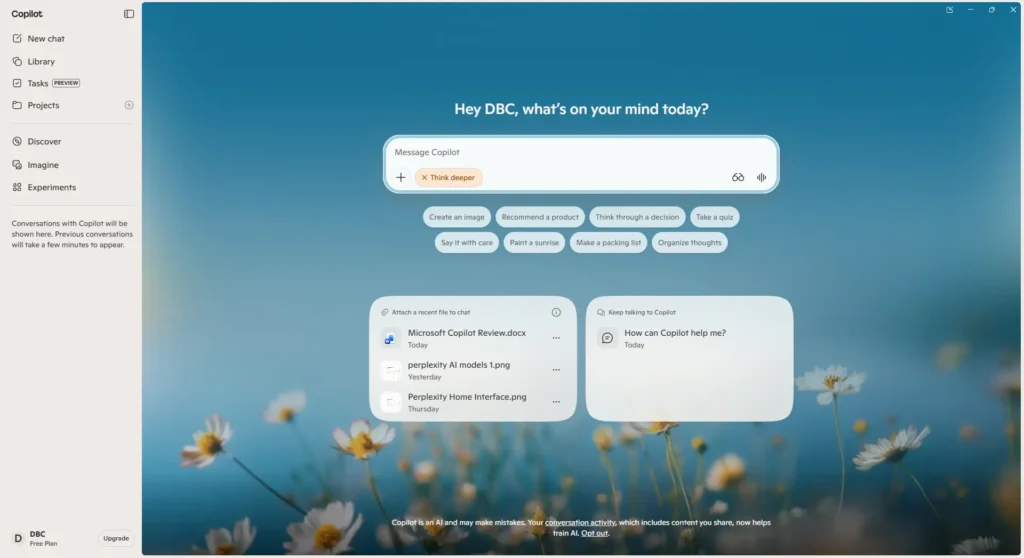
With Copilot, you can upload files like PDFs, DOCX, XLSX, PPTX, images, CSV, and TXT, and ask Copilot to analyze them, answer questions about them, or extract data from them. At present, Microsoft allows users to upload a total of 20 files per conversation within Copilot, with each file having a maximum size of 50 MB.
In our experience, having file analysis built directly into the workspace is convenient. It reduces the need to move between different tools and makes Copilot useful for quickly reviewing files and finding specific information.
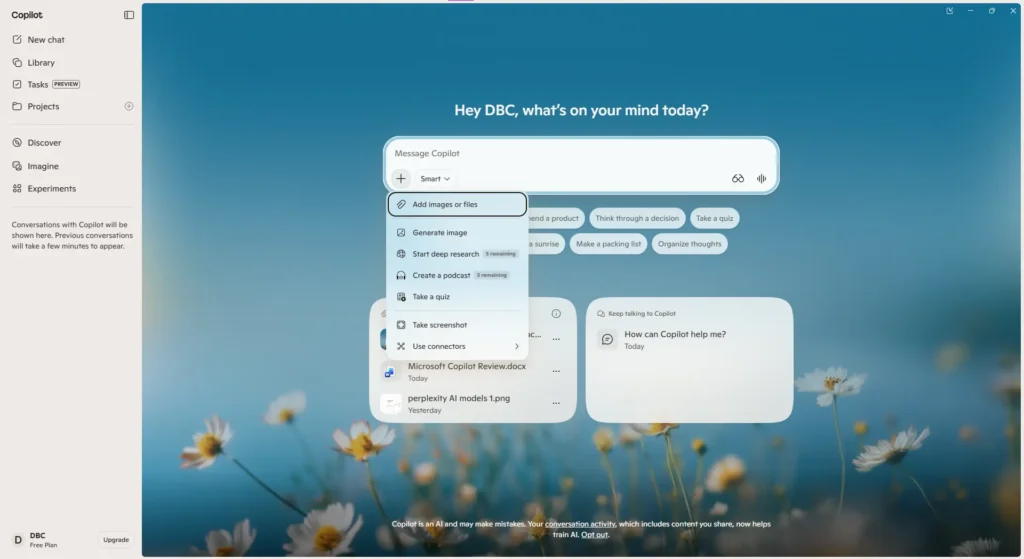
Image Generation
Copilot can create and edit images from prompts, making it useful for quick visuals, concepts, social media graphics, and other everyday creative tasks.
In our testing, it’s convenient for quick image ideas, although users looking for advanced image-generation controls may still prefer dedicated image tools.
Copilot Voice & Vision
Copilot supports voice conversations, while Vision can analyze what you’re showing it through a shared screen or mobile camera and respond based on what it sees.
These features make Copilot more useful for interactive tasks where typing everything out isn’t the most convenient option.
Copilot Pages
Copilot Pages provides a workspace for turning AI responses and ideas into content that can be refined further. It’s particularly useful when a simple chat response needs to become something you can continue working on.
We found this more useful for ongoing work than treating every Copilot response as a one-off answer.
Other Available Features
Copilot also includes additional features such as Connectors, Browse with Copilot, Copilot Journeys, Shopping, Podcasts, Tasks, and Copilot Library. However, these features may be more useful for specific use cases rather than everyday AI assistance.
Pricing
Microsoft Copilot itself is available for free at Copilot.com. The free version provides AI chat, web-based answers, writing assistance, image creation, and other everyday AI features.
For users who want Copilot integrated into Microsoft 365 apps, Microsoft currently offers Microsoft 365 Personal, Microsoft 365 Family, and Microsoft 365 Premium. The plans differ in AI usage limits and access to advanced Copilot features.
| Plan | Price (USD) | Best For |
| Microsoft Copilot Free | $0 | Everyday AI assistance, web-based questions, writing, and image creation |
| Microsoft 365 Personal | $99.99/year | Individual users who want Microsoft 365 apps with Copilot |
| Microsoft 365 Family | $129.99/year | Households needing Microsoft 365 for up to 6 people |
| Microsoft 365 Premium | $199.99/year | Users who want the highest Copilot usage limits and additional advanced AI features |
Microsoft’s current individual pricing page lists Personal at $99.99/year, Family at $129.99/year, and Premium at $199.99/year. AI benefits in Family are limited to the subscription owner.
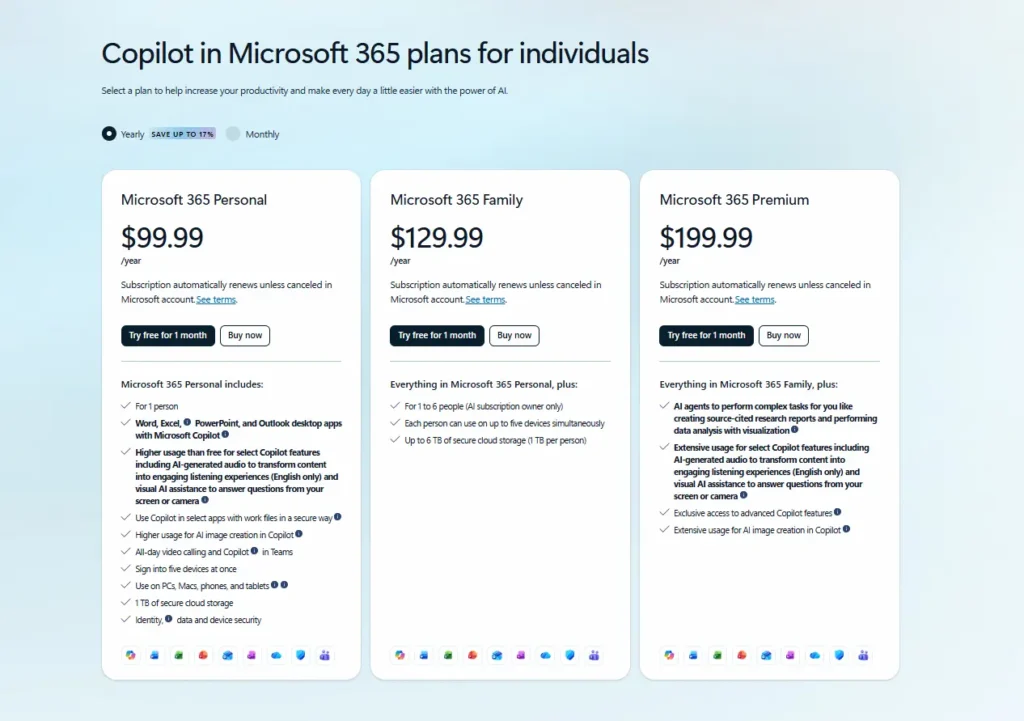
Note: Pricing, features, and AI usage limits can vary by plan and region and may change over time. Business and enterprise Copilot plans are separate offerings.
Check out the official Microsoft 365 Pricing website for more information.
Performance
Microsoft Copilot performs well for day-to-day questions, writing tasks, summarizing information, and general productivity. From our experience of working with Copilot, we could say that the usage was quite straightforward, even though the accuracy of its outputs may depend on the complexity of the task.
Copilot’s biggest perk is definitely how well it ties into the whole Microsoft setup. If you’re already using Microsoft 365 every day, having it right there in your usual routine just makes things a lot smoother than jumping over to a separate chatbot tab.
For research and more important tasks, we recommend treating Copilot’s responses as a starting point and checking important information against reliable sources.
Who Should Use Microsoft Copilot?
If you are already using Microsoft software on a regular basis and need the help of AI to be incorporated into your work process, then Copilot from Microsoft would be an interesting tool to consider. The product is specifically suitable for students, freelancers, professionals, and Microsoft 365 users.
The product is not as relevant if you are primarily looking for an independent AI chatbot that does not use Microsoft 365 on a regular basis. In this regard, the free version might help you make the final decision.
Our Take: Copilot really shines if you are already using Microsoft software. Otherwise, one of its key features becomes irrelevant.
Final Verdict
In our Microsoft Copilot Review, Microsoft Copilot is a pretty handy AI tool, but whether it’s actually worth the investment just depends on your daily setup. The free version does a perfectly fine job with regular stuff like quick writing help, brainstorming, or random questions. But where it really starts to make sense is the deep tie-in with apps like Word, Excel, and Outlook.
From what we’ve seen, it feels way more practical when it’s baked right into your normal routine, rather than just treating it like another separate chatbot tool you have to keep open in a tab. If you aren’t living in Microsoft 365 every day, save your cash and just muck around with the free version first.
Try Microsoft Copilot — official Copilot website
Explore More AI Reviews
Still comparing AI assistants? Explore our detailed reviews of ChatGPT, Claude AI, Google Gemini, and Perplexity AI to find the one that best fits your workflow.
Links:
- ChatGPT Review (2026): Is It Worth It?
- Claude AI Review (2026): Is It Worth It?
- Google Gemini Review (2026): Is It Worth It?
- Perplexity AI Review (2026): Is It Worth It?
Frequently Asked Questions (FAQ)
Is Microsoft Copilot free?
Yes. Microsoft offers a free version of Copilot that can handle everyday questions, writing assistance, web-based tasks, and image creation. More advanced Copilot capabilities are available through eligible Microsoft 365 subscriptions.
Is Microsoft Copilot worth it?
It depends on your workflow. Copilot can be particularly useful if you already use Microsoft 365 regularly and want AI assistance within Microsoft’s productivity apps. For casual AI use, the free version may be enough.
What is the difference between Microsoft Copilot and Microsoft 365 Copilot?
Microsoft Copilot is the free AI assistant available for general use, while Microsoft 365 Copilot provides deeper AI integration with Microsoft 365 applications and eligible work or productivity contexts.
Can Microsoft Copilot analyze files?
Yes. Copilot supports file uploads and can work with supported documents, spreadsheets, presentations, images, and other file types. Availability and limits can vary by plan.
Is Microsoft Copilot better than ChatGPT?
There isn’t a universal winner. Copilot’s main advantage is its integration with the Microsoft ecosystem, while ChatGPT may be a better fit for users looking primarily for a standalone AI assistant. The better option depends on your workflow.
About This Review
This review was prepared by the ToolMapHQ editorial team. We look at each software product based on what actually matters to users, including its features, pricing, ease of use, overall value, and how useful it is in real-world situations. Whenever possible, we verify important product details and pricing through official sources.