ChatGPT Review: The Verdict
Overall Rating: ⭐ 4.7/5
If you just want a single AI tool that handles writing, coding, research, image generation, and file analysis without making you lose your mind, ChatGPT is still the easiest recommendation in 2026.
The real selling point here isn’t just one flashy feature. It’s the sheer convenience of having everything under one roof. Think about it: you can map out a blog post over morning coffee, fix a broken block of code after lunch, digest a massive PDF right before your meeting, and whip up a few marketing graphics before logging off. You get all of that done without juggling five different subscriptions or apps.
Is it perfect? Not quite.
OpenAI’s pricing structure has gotten a bit messy over the last couple of years, and they’ve pushed a lot of the heavy-lifting features behind their paid tiers. If you are just dipping your toes in or using AI casually, stick with the free version—it’ll serve you just fine. But if AI is actively keeping your daily business running, the upgrade pays for itself pretty quickly.
Our ToolMapHQ Take: If you are a freelancer, creator, or developer who wants one reliable workspace instead of a chaotic collection of single-use AI apps, ChatGPT is still the best all-rounder on the market.
Table of Contents
What Is ChatGPT?
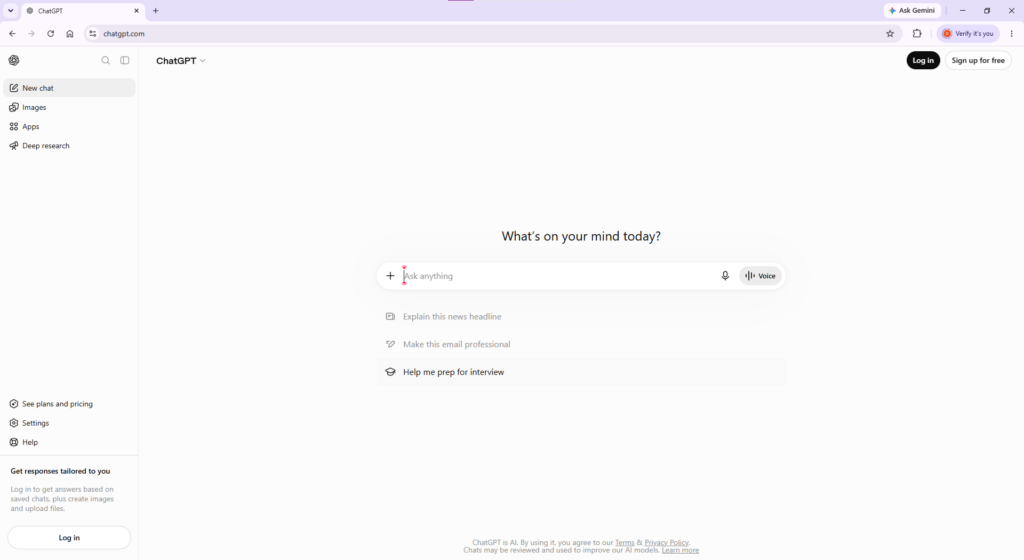
ChatGPT is OpenAI’s flagship AI assistant, but honestly, calling it just another chatbot doesn’t do it justice anymore. Sure, you can treat it like a search engine or use it to bounce ideas back and forth. That is where everyone starts. The real shift happens when you start throwing real-world tasks at it. It takes a messy piece of Python code and pinpoints the bug in seconds. If you’re running late for a client call, you can just drop a 100-page PDF into the chat and grab a quick summary. Toss the file into the chat and let it skim the data for you. You can also whip up marketing graphics, crunch numbers on a spreadsheet, or map out an entire business plan—all without ever leaving that single chat window. That convenience is exactly what sets it apart. Most AI tools on the market are one-trick ponies. One writes copy, another builds images, and a third handles research. ChatGPT bundles all of that under one roof so you aren’t constantly switching tabs and losing your focus throughout the day. OpenAI has aggressively expanded the platform over the last few years. They’ve rolled out everything from live voice conversations and web browsing to advanced features like Canvas, Deep Research, and Custom GPTs. It has grown from a simple text bot into a massive, multi-purpose workspace. For freelancers and solopreneurs, this is a massive win. Instead of burning cash on five different subscriptions, you can run almost your entire daily workflow out of a single app.
Key Features
ChatGPT didn’t build a massive user base by just nailing one flashy trick. It became the go-to app because it happens to tackle a dozen different daily tasks surprisingly well. You could be drafting a quick email to clients, trying to fix a broken line of code, or pulling data for a deep research project—everything goes down in the exact same chat window. It keeps all of that chaos contained under one roof. That means way less time toggling between open tabs and more time actually crossing things off your to-do list. Here are the tools you will actually end up using on a daily basis.
AI Writing
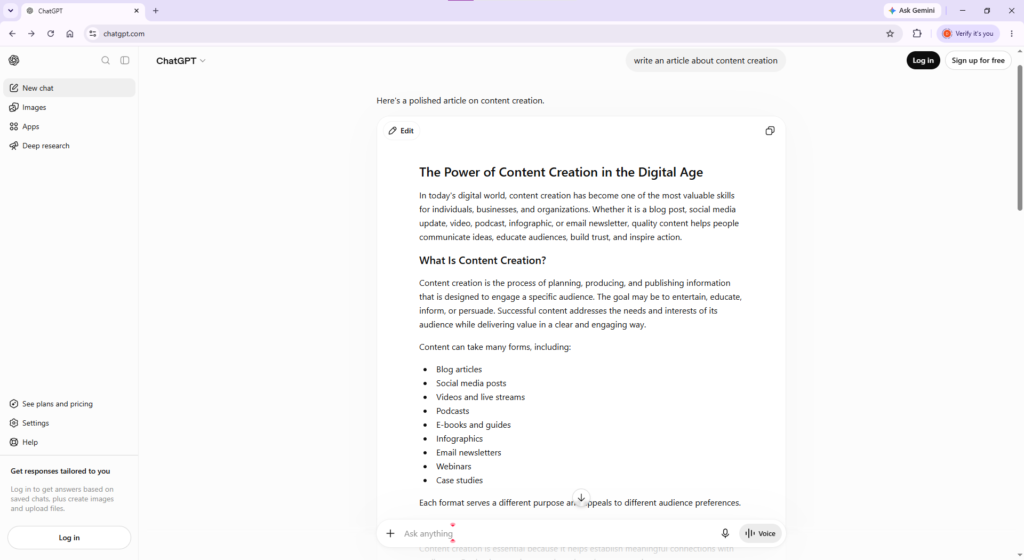
Writing is still the bread and butter of the platform. Instead of staring at a blank page, you can use it to map out a rough draft for a blog post, knock out a tricky client email, or quickly churn out product descriptions and social captions. It cuts out that painful initial phase of writing from scratch. It is also incredibly good at mimicking a specific voice. If you need a formal, corporate report, it delivers. If you want a relaxed, casual vibe that feels like a real conversation, it can pivot in seconds. For anyone writing content daily, this alone claws back hours of free time every week.
Coding Assistance
You don’t need a computer science degree to get a ton of mileage out of this feature. When you hit a frustrating error or a piece of code simply refuses to cooperate, you can just paste it into the chat. Tell it what you are trying to build, and it will usually pinpoint the exact line causing the headache and offer a fix. It handles all the heavy hitters—Python, JavaScript, PHP, HTML/CSS, and SQL—alongside dozens of niche languages. Look, it isn’t going to replace a seasoned, senior developer anytime soon. But as a pocket assistant that saves you from spending three hours screaming at a missing semicolon? It is absolutely worth it.
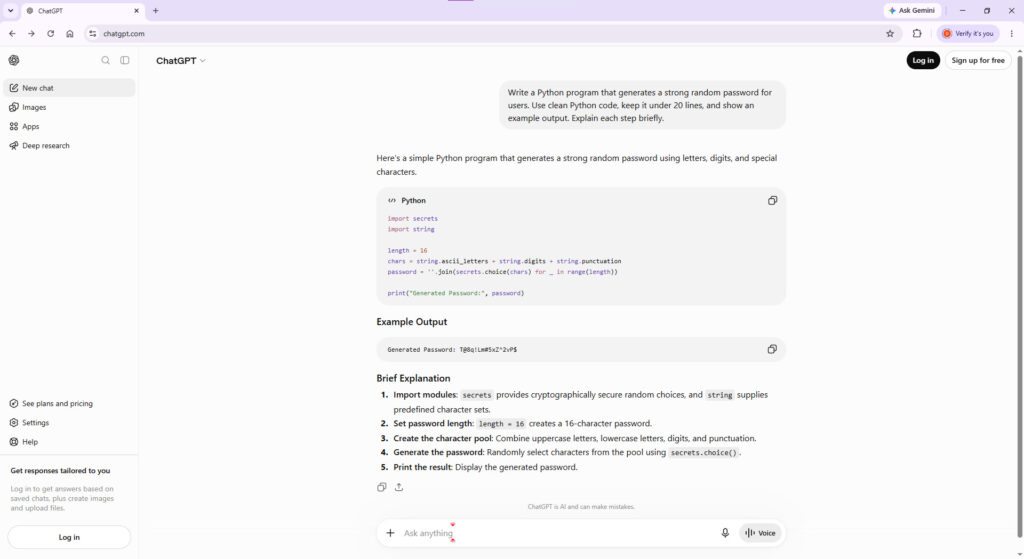
Image Generation
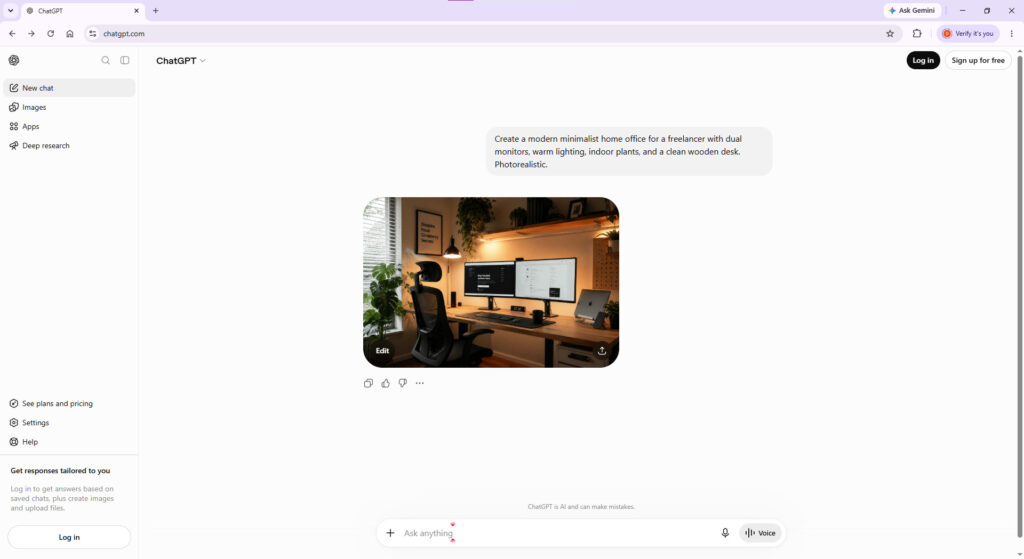
You don’t need Canva or a separate art generator anymore. ChatGPT creates logos, mockups, and social graphics directly in your chat window, saving you from constant tab juggling. Just describe the vibe you want during a chaotic workday—like needing a fast blog header or a quick client mockup—and it delivers on the fly. The real game-changer is visual consistency. It actually locks in your brand style across separate prompts so you aren’t forced to start from scratch every single time. It won’t replace Photoshop for pro designers, but it goes way beyond what most people expect for everyday business assets.
Deep Research
Surface-level answers are easy, but tracking down verified web data takes real effort. That is where Deep Research earns its keep. It doesn’t just instantly vomit out a generic answer. It actually takes a beat to comb through the web, vet the facts, and structure everything into a clean brief. It genuinely feels like delegating a heavy research task to a smart assistant. Just don’t treat it as absolute gospel. You still need to run a quick sanity check before pulling the trigger on any massive business choices
Voice Conversations
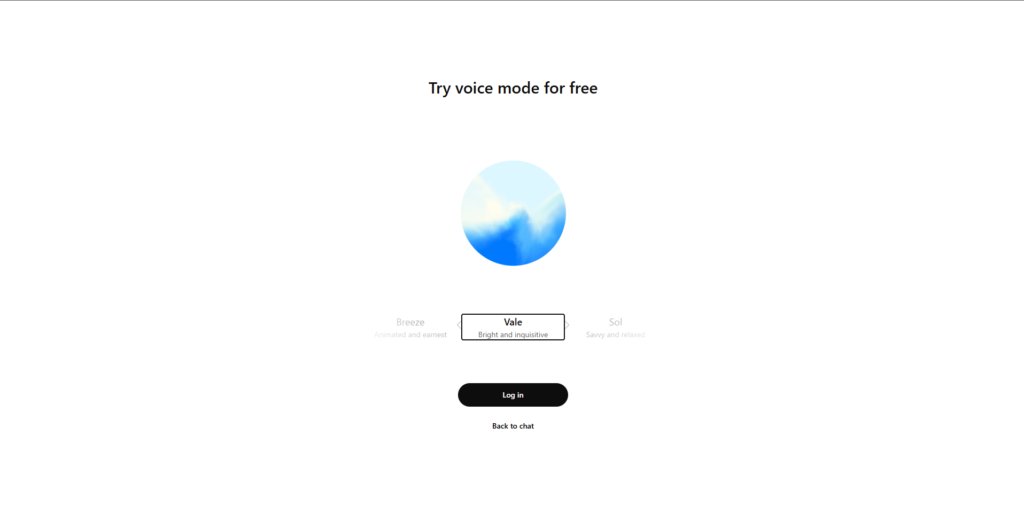
Let’s face it, typing is a total mess when your hands are tied up. Voice Mode lets you just ramble out loud to this thing, and it feels way more like a normal phone call than some clunky piece of software. You can literally cut it off mid-sentence, switch topics out of nowhere, or grill it with quick questions without any awkward lag. Look, you aren’t going to use this to write a massive 2,000-word blog post. But when you are running around or just completely sick of looking at a monitor, it is great for talking through half-baked ideas. It is fast, snappy, and makes regular old typing feel pretty ancient for quick daily tasks.
Pricing
OpenAI has messy pricing now, so your best bet depends entirely on how much of your workday you are handing over to the app. If you are just messing around or occasionally poking at AI, the Free version is fine. You get the basic chat experience, though you will definitely hit a wall if you try to use it for heavy work throughout the day.
For solo businesses and creators, the Plus tier is usually where you end up. It gets you past those frustrating usage limits and unlocks the smarter features without completely draining your wallet. There is a massive Pro plan for absolute power users who practically live inside the app, alongside Business team tiers if you need serious privacy guards and shared admin seats, but most people can safely ignore those and stick to the middle ground.
| Plan | Best For | Our Recommendation |
| Free | Beginners & casual users | A great way to learn the platform before paying. |
| Plus | Most individuals | The best value for the vast majority of users. |
| Pro | Heavy users & developers | Worth considering only if ChatGPT is part of your daily workflow. |
| Business | Teams & companies | Best suited for organizations that need collaboration and centralized management. |
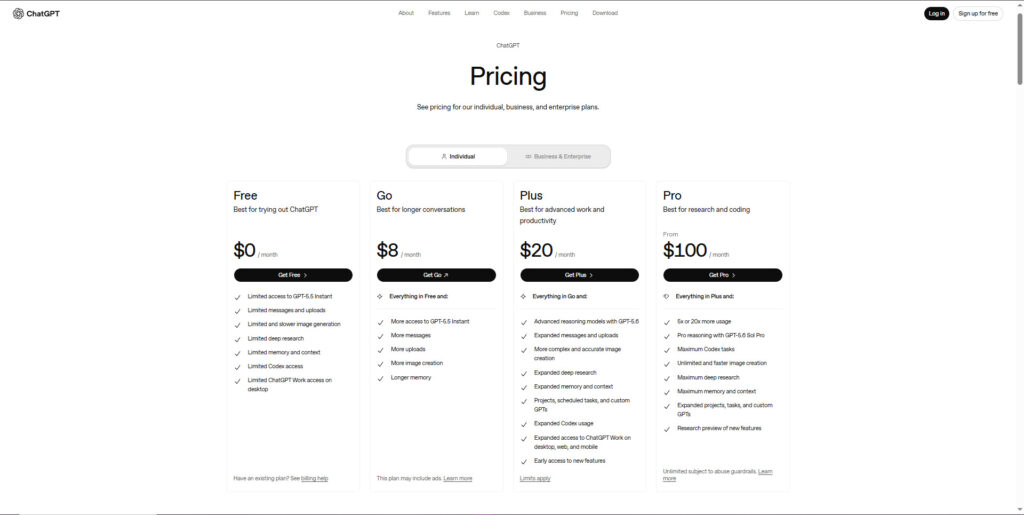
View ChatGPT Pricing here
Real-World Performance
Shiny feature pages don’t mean much when you’re staring at an actual deadline. We basically forced ourselves to use ChatGPT for our actual, messy daily tasks for a few weeks to see if it genuinely saves time or just creates extra work. Here is the honest truth on how it actually held up where it counts.
The Writing Experience
Honestly, text generation is still the app’s biggest strength. Whether we threw a messy email draft at it, needed to spin up some quick blog concepts, or wanted to fix a horribly worded paragraph, the output was always clean and easy to work with. It is surprisingly good at shifting gears between a formal business summary and a completely casual caption for social media. Just don’t go posting its very first try without looking. You will still occasionally run into repetitive words, bland intros, and facts that feel a little off. Fixing it usually takes under a minute, but you definitely want to give everything a quick sanity check before publishing
Our Verdict: ⭐⭐⭐⭐⭐ (4.8/5)
Coding
You don’t need to be a software engineer to get something out of the coding features here. It is great for throwing a block of weird, unfamiliar code at it to figure out what it actually does, spinning up tiny script files, or tracking down an error that is driving you crazy. When we tested it out, it handled the usual languages like Python, JavaScript, and basic HTML/CSS without tripping over itself. The limits only really show up when you start building anything massive. Big, complex applications still require a ton of actual manual testing, and the code it spits out is definitely going to have errors from time to time. Think of it more like a fast junior assistant who occasionally makes typos, not someone you would trust to run your entire infrastructure solo.
Our Verdict: ⭐⭐⭐⭐☆ (4.7/5)
Research Capabilities
OpenAI noticeably upgraded the data-gathering side of things here. Quick queries fetch instant results, but the real standout is Deep Research, which drops the typical summary and actually takes its time building an actual, detailed brief. If you are comparing software options, digging into market niches, or trying to wrap your head around a completely new subject, it easily keeps you from wasting an entire afternoon on Google. Just keep your guard up when it comes to the actual numbers. The final results entirely depend on whatever random sites it pulls data from, so you are bound to hit outdated info or flat-out errors. Look at the output as a rough cheat sheet rather than a finished product. You absolutely have to run a quick sanity check on any core numbers or recent news before you hand it over to a client or risk your reputation in front of an academic board.
Our Verdict: ⭐⭐⭐⭐⭐ (4.8/5)
If your priority is AI-powered search with source-backed answers, you may also want to read our Perplexity AI Review (2026).
Image Generation
Image creation isn’t just a gimmick anymore. You just drop in a quick description to spit out layout mockups, fast header graphics for your blog, or visual assets for social media on the fly. Plus, it is actually decent at tweaking those specific pictures when you give it follow-up notes, so you rarely find yourself completely stuck restarting from scratch because of a single bad detail. Look, a dedicated design platform is obviously going to give you tighter layout control. But for knocking out routine daily content, ChatGPT handles the heavy lifting just fine. Honestly, it stops you from constantly logging into three different art generators just to find a single usable file.
Our Verdict: ⭐⭐⭐⭐☆ (4.7/5)
Ease of Use
The absolute best thing about the app is that it doesn’t feel intimidating. There is zero barrier to entry—you literally just open the box, type like a normal human being, and keep adjusting the responses until you get what you want. You can completely skip the hours of boring YouTube tutorials or reading through dry setup guides. You can actually get useful stuff out of it on your very first try. True, if you’re great at writing incredibly detailed prompts, you’ll end up with much better results. But total beginners can still plow through a mountain of work using basic questions. It hits that rare sweet spot where something is completely dummy-proof but still insanely useful. That is exactly why everyone uses it.
Our Verdict: ⭐⭐⭐⭐⭐ (4.9/5)
The Bottom Line
Looking at the big picture, ChatGPT is still the absolute best all-in-one option on the market. It definitely slips up sometimes, so you’ll obviously want to scan whatever it spits out before using it. But if you just want one dependable workspace that keeps you from paying for a dozen separate apps, it is a total no-brainer for small business owners, creators, or anyone tired of constant app- switching.
Pros & Cons
👍 Pros
• Great all-rounder AI assistant for writing, programming, researching, and image creation in one product.
• Simple and user-friendly interface.
• High-quality AI image generation without any other separate tool needed.
• Voice conversation features available along with file upload and internet browsing.
• Constant feature upgrades by OpenAI.
• Desktop, mobile, and web versions available.
• Good ecosystem with custom GPTs and integrations.
👎 Cons
• The pricing is now much more complicated than it used to be.
• Most useful features are subscription-based.
• Heavy users will sometimes face usage limits.
• The generated content should always be checked for validity.
• The advanced options might be overwhelming for absolute beginners.
Who should use ChatGPT?
ChatGPT is one of the few AI tools that actually lives up to the hype, but it may not work for everyone. It is also one of the few AI products that are helpful to many people.
This product will do well for you if:
• You are a writer creating blogs, newsletters, or marketing materials.
• You are a student needing help in explaining and summarizing or in study-related purposes.
• You are a developer requiring assistance in coding, debugging, or learning about different programming languages.
• You are a freelancer having multiple clients’ projects.
• You are a marketer working on campaigns, ads, and SEO material.
• You are a small business owner wanting to save time on routine activities.
ChatGPT might not be the right choice for you if:
• You only require occasional use of AI and do not wish to pay for a subscription.
• Your activities depend on verified research without any manual fact-checking.
• You wish to have an AI tool doing only one specific job such as professional image editing or software development.
ChatGPT Alternatives
At present, ChatGPT is one of the most comprehensive artificial intelligence assistants around; there may be instances where it does not fit perfectly into your workflow.
Claude
Claude would be a great option to explore if your job involves extensive writing, document analysis, and providing well-thought-out responses. Claude works quite well while editing articles, reviewing contracts, and handling lengthy documents.
Best for: Writers, researchers, and professionals working with large files.
Also read: Claude Review
Google Gemini
If you find yourself spending a large part of the day in Gmail, Google Docs, Sheets, and Google Drive, Gemini would be a better option due to its tight integration with the Google ecosystem.
Best For: Google Workspace Users.
Check out our Gemini Review
Perplexity AI
Perplexity is concerned more with research than with conversation. Every response that comes from Perplexity includes a citation, which makes it one of the most useful AI applications for researching contemporary subjects.
Useful for: Students, researchers, journalists, and professionals.
Microsoft Copilot
The Microsoft Copilot application works well with Windows and Microsoft 365. It is worth trying out for those whose work revolves around Word, Excel, PowerPoint, and Teams.
Useful for: Microsoft ecosystem users.
Best for: Microsoft ecosystem users.
The Final Verdict
Honestly, calling ChatGPT a basic chatbot doesn’t make sense anymore—it has turned into a massive multi-tool. Keeping your drafts, code fixes, and graphics in one spot honestly stops you from constantly losing your focus. That smooth connection between everything is the real draw, not just one standalone feature. The main catch is that the pricing setup is an absolute headache, with OpenAI actively hiding all the best tools behind their paywall. Plus, you still have to watch out for the occasional random error or glitch, so don’t go using the results without a quick read-through. But if you just need something reliable to handle a bit of everything, it remains the easiest recommendation out there.If you are still on the fence, we can look at how the other main tools compare.
ChatGPT Alternatives at a Glance
| AI Tool | Best For |
| ChatGPT | Overall, AI Assistant |
| Claude | Long-form Writing & Editing |
| Gemini | Google Workspace Integration |
| Perplexity | Research with Source Citations |
Quick Take:
If you’re trying to choose, ChatGPT is still your best bet for a standard, do-everything assistant. For pure writing length and flow, you’ll want to swap over to Claude. Gemini only really makes sense if you basically live inside Google Docs and Gmail, while Perplexity completely kills the other three if you just need fast facts with actual source links
FAQs
Is ChatGPT free?
Yes, the free tier covers the basics. ChatGPT has a free plan that includes access to all its core AI Features; however, there are usage limitations, and some of its advanced features are locked.
Is ChatGPT Plus worth the money?
Absolutely, if you use AI daily for work, coding, writing, etc. The faster response times and higher limits easily pay for themselves.
Can it generate images?
Yes, it has a built-in art generator. You can cook up everything from marketing graphics to concept art without leaving the chat.
Is it actually good for coding?
Yes, it’s incredibly strong at writing, explaining, and debugging code across dozens of languages. Just don’t blind-deploy its code to production without double-checking it first.
Which ChatGPT plan is best for most users?
For the majority of people, the Plus plan will be the optimal choice.
Is it safe to use?
Mostly, yes. But remember that standard accounts use your conversations to train future AI models. If you’re pasting sensitive financial data or confidential work documents, go into your settings and toggle off chat history, or upgrade to a privacy-focused business plan.
Can ChatGPT replace Google Search?
Honestly, the gap is closing fast. ChatGPT used to be terrible for real-time info, but its latest web search and Deep Research features mean it can actually dig up live news and primary sources now. That said, if you just want a quick link, a weather forecast, or local business hours, standard Google is still faster.
About This Review:
This review was prepared by the ToolMapHQ editorial team. All software products were evaluated based on their features, pricing, usability, value, and practical usage cases. If possible, all data are verified through official sources.