
Gemini Review: Quick Verdict
⭐⭐⭐⭐☆ 4.7/5
Those who have been using Gmail, Google Docs, Drive, and Android in their daily life should not find it hard to integrate Gemini into their workflow because it is more like an extension of Google’s environment. Whether you need to create summaries for long threads, get data from Drive, and conduct some research with no need to open five tabs at once—this AI assistant copes with these tasks perfectly well.
Nevertheless, it has its limitations, too. Although Gemini does great in research, analysis, and productivity, creative writing produced by Gemini may seem a bit stiff if compared to the text produced by ChatGPT. It is fast, intelligent, and feature-packed, but it doesn’t make you enjoy reading its texts when writing something creative.
Gemini is perfect if you need to be productive within the Google ecosystem, but if you need the most natural conversations and creative writing, ChatGPT or Claude will suit your needs better. In any case, now it is one of the best AI assistants out there and probably the most efficient one for Google users.
Table of Contents
Pros & Cons
Pros
- Excellent integration with Gmail, Google Docs, Drive, and other Google services.
- Handles large PDFs and long documents without losing context.
- Fast, accurate, and reliable for research and everyday productivity.
- Strong multimodal capabilities with support for text, images, and voice.
- Useful built-in features like Google Workspace integration, Canvas, Gems, Gemini Live, and powerful research tools.
- The Free version is capable enough for most casual users.
Cons
- Creative writing still isn’t as natural as ChatGPT or Claude.
- Some of the best features are locked behind the paid plan.
- Can occasionally sound too formal or overly cautious in its responses.
- Feature availability varies depending on your plan and region.
About This Review
This review was put together by the ToolMapHQ team. Our research includes the functionality of the tool, whether it is worth the price tag, ease of use, and if the tool is useful in completing tasks. It is also important that we verify data from official resources instead of marketing data. It is essential to note one thing: AI tools develop rapidly. Their features, pricing, limitations, etc. may change, so it would be great if you checked out the official website before purchasing a tool.
What Is Gemini?
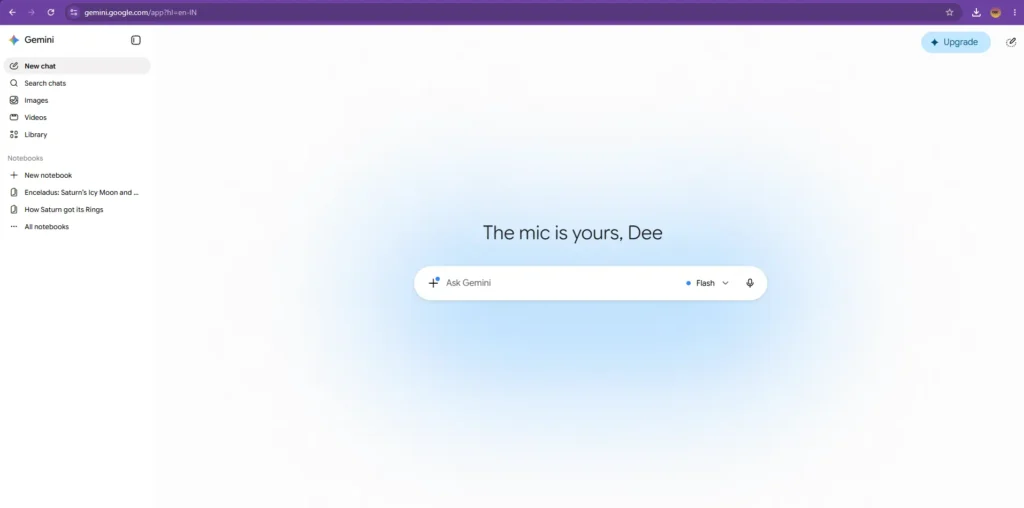
Gemini is the Google-made AI tool that assists with everything from writing and programming to conducting research, idea generation, and performing mundane chores. It may be used for summarizing lengthy documents, answering questions, creating images, writing emails, analyzing documents, or engaging in a conversation, just like ChatGPT and Claude.
What makes Gemini stand out is not only the chatbot but rather its close connection to Google’s suite of services. The closer your current usage is to Gmail, Google Docs, Drive, Sheets, and Android, the more Gemini will feel like an integrated part of those applications, ready to assist.
Google’s Gemini has various plans to cater to everyone’s requirements. The free plan can help answer general queries, do writing jobs, and utilize basic AI functions. For those who want to perform additional work, the premium plans can provide access to Google Workspace integrations, Canvas, Gems, increased usage limit, and other AI tools.
In recent times, Gemini has really been improving. At first, it was very unreliable, but nowadays, Gemini is one of the best AI assistants that we have. Gemini works best when you are handling big documents, doing research on complicated subjects, or getting work done in the Google universe.
Gemini Features
Gemini is filled with numerous AI functions, yet not all of them are equally beneficial. You will definitely use some of them on a regular basis, whereas some may prove to be helpful in certain situations only. Here are the features of the app that truly stand out.
AI Research & Document Analysis
One of Gemini’s strongest abilities is handling research-heavy tasks. Instead of giving a quick answer, it can analyze information from multiple sources, summarize lengthy documents, compare different viewpoints, and organize findings into structured reports. This makes it especially useful for students, marketers, researchers, and freelancers who regularly work with large amounts of information.
Note: Unlike ChatGPT, Gemini doesn’t use a separate Deep Research workspace. Instead, its advanced research capabilities are integrated directly into the main chat experience.
If your priority is AI-powered search with source-backed answers, you may also want to read our Perplexity AI Review (2026).
Google Workspace Integration
Canvas
With Canvas, you get a space for composing long documents and code without having to scroll down endlessly in the chat as you edit your stuff. You will be able to work much more conveniently compared to editing everything within a regular chat room.
Gems
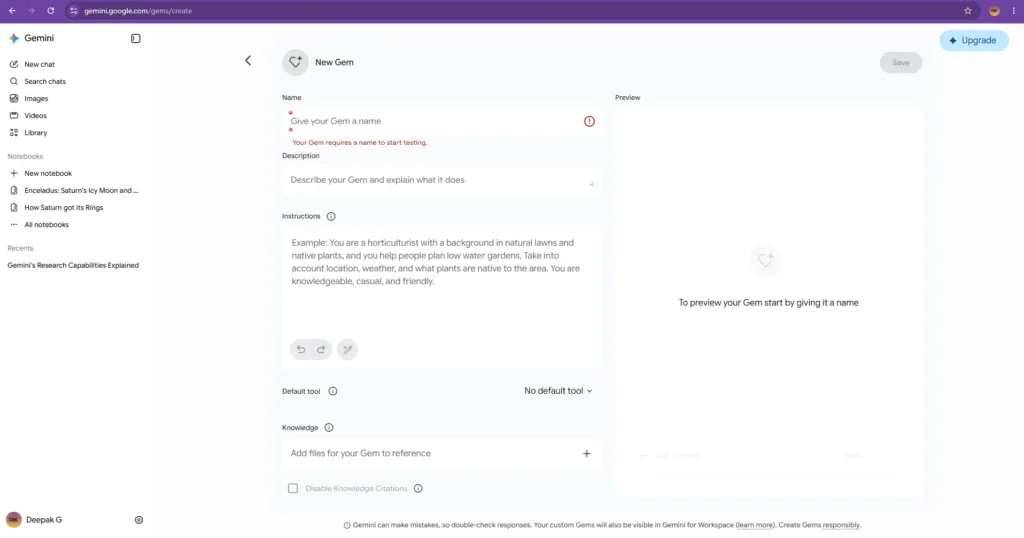
Gems provide you with an opportunity to create your own customized AI helpers for certain tasks. Instead of explaining what you want from AI every time, you can create a set of instructions for it to complete them whenever needed. You can make different Gems for writing blogs, coding, responding to clients’ emails, etc.
Gemini Live
Gemini Live is great for having a natural voice communication with the AI without having to type everything. This option may come in handy when you are just brainstorming some ideas or simply do not want to type.
Image Generation
Gemini Spark
Gemini Spark is the latest AI-powered agent introduced by Google that can operate on tasks in the background without requiring continuous user interaction. This AI agent can keep track of emails, organize files, summarize data, and execute various workflows in Google Workspace even when your device is not in use. Even though it is under development and availability is based on your subscriptions and geography, it offers great insight into the future of Google’s AI platform.
Gemini Pricing
Both free and paid versions of Gemini are offered by Google, which means that you won’t have to spend any money to start using it. The free version will be sufficient for your daily activities such as writing, generating ideas, answering queries, and doing research. However, if you work a lot with big files, AI functionalities, and Google Workspace, then the paid version becomes quite reasonable.
| Plan | Price (USD) | Best For |
| Free | $0/month | Everyday use, casual writing, basic research, and general productivity. |
| Google AI Pro | $19.99/month | Users who need higher usage limits, Google Workspace integration, Canvas, Gems, advanced AI capabilities, and extra cloud storage. |
| Google AI Ultra | Starting at $99.99/month | Professionals and power users who need Google’s most advanced AI models, maximum usage limits, and access to the latest premium AI features. |
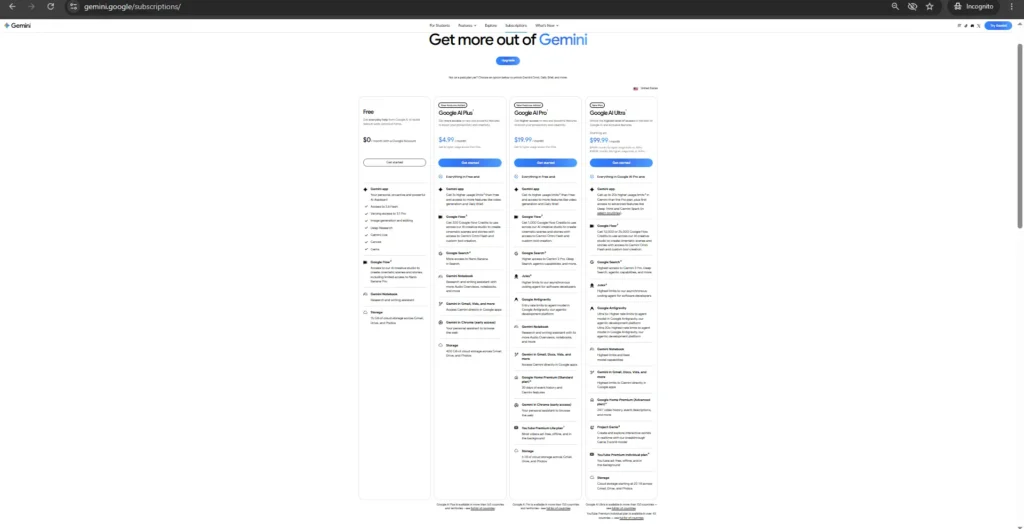
Note: Google occasionally updates its plans, pricing, and included features. For the latest information, visit the official Google AI Pricing page.
Is Gemini Worth Paying For?
The free plan will be adequate for most users. In case you use AI mainly for asking questions, summarizing articles, or writing emails, there is a good possibility that you will never feel limited.
Google AI Pro should definitely be looked into if AI is an integral part of your work. No matter whether you are conducting research on any topic, working with Gmail and Google Docs, dealing with huge files, or using premium services such as Canvas and Gems, this upgrade definitely justifies itself over the free version.
To sum up, try the free plan first. In case you reach limitations or use Gemini on a daily basis, that is the appropriate moment to move to the paid plan.
What Do You Get With Google AI Pro?
Google AI Pro is not only a Gemini subscription service. In addition to access to the premium AI models of Google, you will get access to many additional services and tools. All of them may be very useful for you if you use Google products.
| Included with Google AI Pro | ✔️ |
| Gemini Advanced | ✅ |
| Deep Research | ✅ |
| Canvas | ✅ |
| Gems | ✅ |
| Gemini in Gmail | ✅ |
| Gemini in Docs | ✅ |
| Gemini in Sheets | ✅ |
| Gemini in Slides | ✅ |
| Gemini in Drive | ✅ |
| 5 TB Google Cloud Storage | ✅ |
| NotebookLM (higher limits) | ✅ |
| Google AI Studio (expanded limits) | ✅ |
| Jules (expanded limits) | ✅ |
| Monthly Google Cloud credits | ✅ |
| YouTube Premium Lite (where available) | ✅ |
Note: Google may integrate some advanced research capabilities directly into the Gemini chat experience rather than displaying them as a separate tool, depending on your plan and the current interface.
How Gemini Performs
A feature list just gives you an idea of the capabilities of Gemini. But what really matters is its performance. After testing Gemini across different tasks, we found that it performs particularly well in research, document analysis, and everyday productivity. Writing, coding, and Research tasks were completed quite efficiently, though the performance varies according to the type of task.
Writing
Gemini can be called a good writing assistant for emails, reports, summaries, and other professional texts. It is efficient and consistent in completing tasks and always follows the instructions. However, sometimes Gemini produces too formal texts. If you need a highly creative story or marketing copy, ChatGPT and Claude will be more useful tools for you.
For everyday writing and productivity, though, Gemini is more than capable.
Coding
Gemini performs code-related tasks pretty successfully. It can not only clarify code, debug it, and generate functions but also help you get a better understanding of some new programming concepts. Moreover, it can divide complicated tasks into several steps and thus is helpful for both newcomers and professional programmers.
Though it may have some flaws, Gemini does its job decently in most situations related to writing code.
Research
Another area where Gemini shines is research. Thanks to its large context window, advanced research capabilities, and support for long documents, it can process lengthy text, compare multiple sources, and organize information into structured reports.
That must be considered one of its greatest advantages.
Image Generation
Gemini can create images based on text prompts. It is convenient for creating illustrations, social media graphics, and concept images. Though the quality of images created by Gemini is sufficient for regular use, professional designers may need to look for special tools.
For the majority of people, the built-in image generation function is enough.
Who Should Use Gemini?
Gemini is a perfect choice for anyone who depends on Google’s services daily. If your work mostly takes place within Gmail, Google Docs, Google Drive, and Android, Gemini is a natural part of your workflow and will help you save time.
Gemini is also a good choice for students, researchers, freelancers, and other professionals whose work involves handling large documents and reports, as well as big PDF files. The advanced research capabilities and large context window of Gemini will be especially helpful in such cases.
Honestly, skip Gemini if you just want to write stories or marketing copy. You’re way better off sticking to ChatGPT or Claude. Gemini can definitely write, but the vibe is usually pretty stiff and corporate. But look—if you need something that plays nice with your daily Google apps, Gemini is a no-brainer.
Final Verdict
Gemini has improved dramatically over the past couple of years. What started as Google’s response to ChatGPT has evolved into a capable AI assistant that can genuinely help with everyday work, especially when you have Google apps like Gmail, Drive, Docs, or Android.
One of Gemini’s biggest strengths is how naturally it integrates with Google’s ecosystem. Combined with features like Canvas, Gemini Live, Gems, advanced research capabilities, and Gemini Spark, it has evolved into much more than a traditional chatbot.
That said, Gemini isn’t perfect; it is not without flaws. First of all, creative writing will likely prove a little too conventional for your tastes, and many helpful features are locked behind the premium subscription. On top of that, if you care about storytelling, marketing copy, or conversation generation, ChatGPT and Claude will beat it in that domain.
All things considered, Gemini is one of the best AI assistants currently on offer. Even though it might not be a perfect fit for everyone out there, it’s definitely an easy pick for students and professionals alike.
FAQs
Is Gemini free to use?
Yes. Gemini has a free plan provided by Google that can perform daily functions such as writing, brainstorming, answering questions, and conducting research. If you require more advanced features, including advanced research capabilities and Canvas, you will have to opt for a premium plan.
Is Gemini better than ChatGPT?
It depends on what you need. Gemini stands out if you already use Gmail, Google Docs, Drive, or other Google services. ChatGPT generally feels stronger for creative writing, natural conversations, and a wider range of third-party integrations.
Is Gemini better than Claude?
Gemini is the better choice if you’re deeply invested in Google’s ecosystem and need strong productivity features. Claude, on the other hand, often produces more natural writing and is excellent for long-form content and document analysis.
Is Gemini good for coding?
Yes. Gemini can explain code, generate functions, fix bugs, and help with debugging. It’s a solid coding assistant for both beginners and experienced developers.
Can Gemini generate images?
Yes. Gemini can generate images from text prompts, making it useful for creating illustrations, social media graphics, and simple visual concepts.
Is Gemini worth paying for?
If you use AI every day and rely on Gmail, Google Docs, or Google Drive, the paid plan offers good value thanks to advanced models, Deep Research, Canvas, and other Google AI features. Casual users will usually find the free plan sufficient.
Does Gemini work with Google Docs and Gmail?
Yes. Gemini integrates with Google Workspace, allowing you to draft emails, summarize documents, and work with files across Gmail, Docs, Drive, Sheets, and Slides.
Which Gemini plan should I choose?
Start with the free plan. If you regularly work with large documents, need advanced AI features, or use Gemini as part of your daily workflow, upgrading to Google AI Pro is usually the better choice.